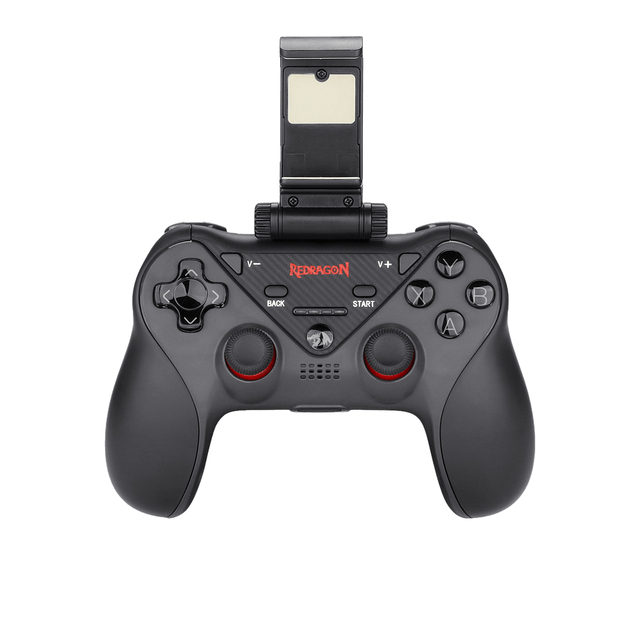
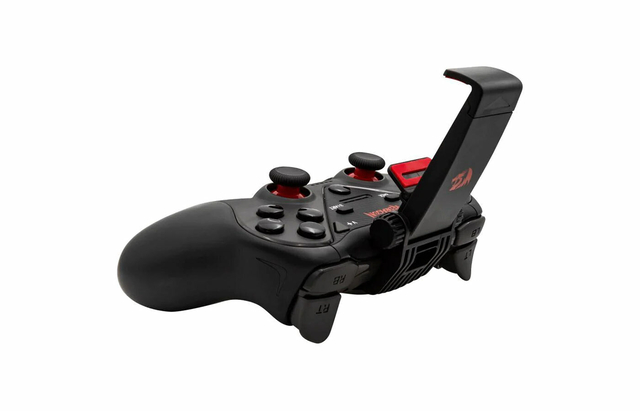
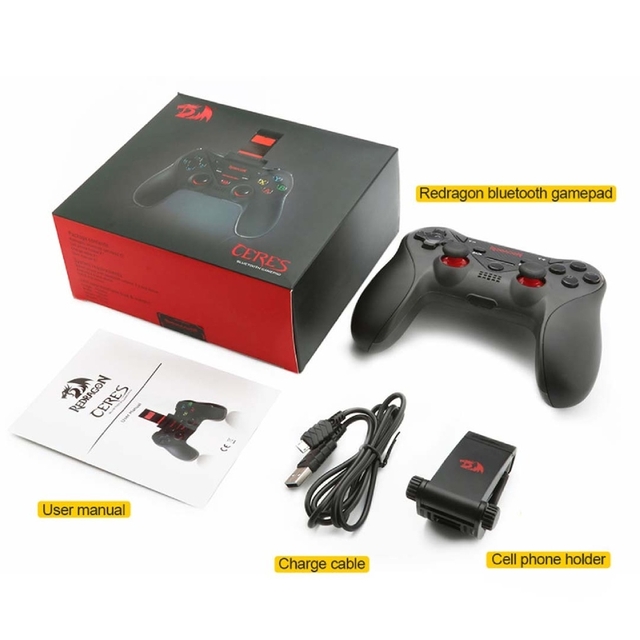
Redragon G812 CERES Wireless Gamepad
Product Highlight
Four in one function
lOS standard mode connection
No need Third-party gaming platform
Support more than 800 games which download from App Store match lOS standard protocol.
Support most of standard Android games
Support Android game platform, such as Octopus game; and Android HID mode
PS: Game controller should recognize automatically in Android HID mode and game platform mode
Support smartTV, smart set-top box
PS4 Multi-Stream( Support only lOS currently)
Download R-Play from App Store for iPhone, iPad or iPod touch, follow steps in Ap
Streaming function can make your Play Station4 stream to iPhone, iPad or iPod touch, you can play at any time and any where with network.
PS: In order to experience the best streaming function, please connect your PS4 to your
home network, and your iPhone, iPad or iPod touch contact to 5GHz WiFi network.
- Brand : Redragon
- Color : Black
- Category : Gaming Accessories
- Warranty : 6 Months
- Available : In Stock
Description
Phone Matching
- Power On: keep pressing HOME button for 3 seconds, LED should flash
- Power Off: keep pressing HOME button for 3 seconds, LED should turn off
- Bluetooth pairing: power on game controller, switch on Bluetooth search mode on mobile search Bluetooth ID name”A23″on mobile to complete pairing
- Indicator light and mode change.
Game controller should recognize lOS/ Android mode automatically
MODE |
LED Indicator |
Connect Method |
| IOS standard mode | white light | Connect automatically |
| IOS game platform mode | blue light | Press Home button for 1s to change mode after connect successful |
| Android standard mode | green light | Connect automatical |
| Android mouse mode | red & green light | Press Home button for 1s to change mode after connect successful |
Sleeping mode:
1. If game controller under UN-connect mode, it should turn off after 30 seconds.
2. Game controller should turn into sleep mode after 5minutes no operation
3. When under searching mode, game controller should turn into sleep mode if no equipment found in 2 minutes
| App Store(IOS)Game List | |||
| Modern Combat 5 | Dead Trigger | Assassins Creed | Minecraft |
| Marvel Future Fight | Monster Hunt | Heroes of Order Chaos | DNW |
| THE KING OF FIGHTERS-A 2012 | LEGO Star Wars | Implosion | SPACE HUNTER |
| The World Online ll | Final Fury | FIFA18 | Call of Duty |
| ASS EFFECT INFILTRATOR | Radiation island | Dungeon Hunter 4 | Grand Theft Auto |
| Godfre: Rise of Prometheus | NBA2K17 | Galaxy On Fire 2 | Gangstar: vegas |
| World of Tanks Blitz | Galaxy on Fire 2 | Into The Dead | Angry Bots |